1、进度条
javascript
<!doctype html>
<html lang="en">
<head>
<meta charset="UTF-8">
<title></title>
<style type="text/css" >
    #box{
        width: 200px;
        height: 30px;
        border: 1px solid black;
    }
    #jinDuBox{
        width: 0px;
        height: 100%;
        background-color: skyblue;
        text-align: center;
    }
</style>

</head>
<body style="height: 1000px">

    <div id="box">
        <div id="jinDuBox">

        </div>
    </div>
    <input type="button" value=" 走你 " onclick="testf()" />
</body>
</html>

<script type="text/javascript">


var width =0; //保存当前的宽度

function testf(){

   var myTimer = setInterval(function(){
        width+=2;
        if(width>=200){
            width = 200;
            window.clearInterval(myTimer);
        }
        $("jinDuBox").style.width = width+"px";
        $("jinDuBox").innerHTML = parseInt(width/200*100)+"%";
   },100);
}

function $(id){
    return document.getElementById(id);
}

</script>
2、加减乘除计算器
javascript
<!DOCTYPE html>
<html>
 <head>
  <meta charset="utf-8">
  <title></title>
  <style type="text/css">
   /*#num1*/
  </style>
 </head>
 <body>
            <input type="text" id="num1"  >
            <select id="oper" >
                    <option value="+">+</option>
                    <option value="-">-</option>
                    <option value="*">*</option>
                    <option value="/">/</option>
                    <option value="%">%</option>
            </select>
            <input type="text" id="num2" >
            <input type="button" value=" = " onclick="testf()" />
            <input type="text" id="num3" >
 </body>
</html>
<script type="text/javascript">

function testf() {
 //1、获取文本框的值
 var num1 = Number(document.getElementById("num1").value);//12
 var num2 = Number(document.getElementById("num2").value);//23
    var oper = document.getElementById("oper").value;

    //2、计算
    var result;
    switch(oper){
        case "+":result = num1+num2;break;
        case "-":result = num1-num2;break;
        case "*":result = num1*num2;break;
        case "/":if(num2!=0){
                    result = num1/num2;
                }else{
                    result = "亲,除数不能为0";
                }
                break;
        case "%":if(num2!=0){
                result = num1%num2;
                }else{
                    result = "亲,除数不能为0";
                }
                break;
        default:;
    }

 //3、显示在文本框里
 document.getElementById("num3").value = result;

}

</script>
3、随机n位验证码
javascript
<!DOCTYPE html>
<html lang="en">
<head>
    <meta charset="UTF-8">
    <meta name="viewport" content="width=`, initial-scale=1.0">
    <meta http-equiv="X-UA-Compatible" content="ie=edge">
    <title>Document</title>
</head>
<body>
    <input type="text"  /><span id="ma"></span>
    <input type="button" value="验证码" onclick="testf()" />
</body>
</html>
<script src="js/tools.js"></script>

<script>

function testf(){

    // var str="";
    // for(var i=0;i<4;i++){
    //     str += parseInt(Math.random()*10);
    // }
    // document.getElementById("ma").innerHTML = str;
    document.getElementById("ma").innerHTML = getMa(4);
}

</script>
4、敏感词过滤
javascript
<!DOCTYPE html>
<html>
 <head>
  <meta charset="utf-8" />
  <title></title>
  <style type="text/css">
   *{
    margin: 0;
    padding: 0;
   }
   #sourceImgBox01{
    position: relative;
    width: 300px;
    height: 300px;
    background-image: url(img/2.jpg);
    background-size: cover;
   }

   #sourceImgBox02{
    position: relative;
    width: 200px;
    height: 300px;
    background-image: url(img/3.jpg);
    background-size: cover;
   }

  </style>
 </head>
 <body>
  请输入您的想法:<input id="textId" type="text" onblur="filterMinGan()" />
 </body>
</html>

<script type="text/javascript">
function $(id){
 return document.getElementById(id);
}

//(用户输入的内容中的敏感词替换为*).html
function filterMinGan(){
 //1、获得用户输入
 var str = $("textId").value;
 //2、过滤
 var arr=["sb","eb","nnd"];
 for(var i in arr){
  while(str.indexOf(arr[i])>-1){
   str = str.replace(arr[i],"*");
  }
 }
 //3、输出
 $("textId").value = str;
}
</script>
5、不能重复发言,和过滤敏感词
javascript
<!DOCTYPE html>
<html>
 <head>
  <meta charset="utf-8" />
  <title></title>
  <style type="text/css">
   *{
    margin: 0;
    padding: 0;
   }
   #sourceImgBox01{
    position: relative;
    width: 300px;
    height: 300px;
    background-image: url(img/2.jpg);
    background-size: cover;
   }

   #sourceImgBox02{
    position: relative;
    width: 200px;
    height: 300px;
    background-image: url(img/3.jpg);
    background-size: cover;
   }

  </style>
 </head>
 <body>
  <textarea id="allmessage">
  </textarea><br/>
  请输入您的想法:
  <input id="textId" type="text" onblur="filterMinGan()" /><br/>

 </body>
</html>

<script type="text/javascript">
function $(id){
 return document.getElementById(id);
}

//留言过滤。(不能重复发言不能包含敏感词)
//把所有说过话,保存到数组里
var arrmessages=[];//

function filterMinGan(){
 //1、获得用户输入
 var str = $("textId").value;
 //2、过滤
 //1)、敏感过滤
 var arr=["sb","eb","nnd"];
 for(var i in arr){
  if(str.indexOf(arr[i])>-1){
   //str = str.replace(arr[i],"*");
   alert("亲,请好好说话!");
   return;
  }
 }
 //2)、重复发言
 if(arrmessages.indexOf(str)>-1){
  alert("亲,不能重复发言!");
  return;
 }

 //3、输出
 arrmessages.push(str);
 $("allmessage").value += str+"\n";
}

</script>
6、秒表
javascript
<!DOCTYPE html>
<html lang="en">
<head>
    <meta charset="UTF-8">
    <meta name="viewport" content="width=device-width, initial-scale=1.0">
    <meta http-equiv="X-UA-Compatible" content="ie=edge">
    <title>Document</title>
</head>
<body>
    <input id="hours" type="text" value="00" >:
    <input id="minutes" type="text" value="00">:
    <input id="seconds" type="text" value="00">
    <input type="button" value="开始" onclick="begin()" />
    <input type="button" value="暂停" onclick="pause()" />
    <input  type="button" value="停止" onclick="stop()" />

    <input id="result" type="text" >
</body>
</html>

<script>
//setInterval(回调函数,毫秒数); 每隔指定的毫秒数,执行一次回调函数,该函数返回一个定时器编号
//clearInterval(定时器编号); 清除指定的定时器。

var seconds = 0;//保存秒数
var minutes = 0;
var hours = 0;
var myTimer=0;

function begin(){
    if(myTimer>0){
        return;
    }

    myTimer=setInterval(function(){
        seconds++;
        if(seconds>=60){//良性冗余
            seconds=0;
            minutes++;
            if(minutes>=60){
                minutes=0;
                hours++;
            }
        }

        document.getElementById("seconds").value = seconds<10?"0"+seconds:seconds;
        document.getElementById("minutes").value = minutes<10?"0"+minutes:minutes;
        document.getElementById("hours").value = hours<10?"0"+hours:hours;

    },1000);

    console.log(myTimer);

}

function pause(){
    clearInterval(myTimer);
    myTimer = 0;
}

function addZero(num){
   return  num<10?"0"+num:num;
}

function stop(){
    pause();
    document.getElementById("result").value = addZero(hours)+":"+addZero(minutes)+":"+addZero(seconds);
    seconds=0;
    minutes=0;
    hours=0;
    document.getElementById("seconds").value = addZero(seconds);
    document.getElementById("minutes").value =addZero(minutes);
    document.getElementById("hours").value = addZero(hours);

}
</script>
7、隔行变色
javascript
<!doctype html>
<html lang="en">
<head>
<meta charset="UTF-8">
<title></title>
<style type="text/css" >

</style>

</head>
<body style="height: 1000px">
    <ul id="box">
        <li>第一行</li>
        <li>第二行</li>
        <li>第三行</li>
        <li>第四行</li>
        <li>第五行</li>
    </ul>
    <input type="button" value=" 走你 " onclick="testf()" />
</body>
</html>

<script type="text/javascript">

function testf(){
   var liDoms =  $("box").children;
   for(var i=0;i<liDoms.length;i++){
       if(i%2==0){
           liDoms[i].style.backgroundColor = "pink";
       }else{
           liDoms[i].style.backgroundColor = "orange";
       }
   }
}

function $(id){
    return document.getElementById(id);
}

</script>
8、拖拽方块
javascript
<!DOCTYPE html>
<html>
 <head>
  <meta charset="utf-8">
  <title></title>
  <style>
   #box{
    height: 100px;
    width: 100px;
    position: absolute;
    background: skyblue;
    left: 200px;
    top:200px;
    /* cursor: move; */
   }
  </style>
 </head>
 <body>
  <div id="box">

  </div>
 </body>
</html>
<script>
 var oBox = document.querySelector("#box");

 oBox.onmousedown = function(evt){
  var e = evt || event;

  var offSetX = e.offsetX;
  var offSetY = e.offsetY;

  document.onmousemove = function(evt){
   var e = evt || event;

   var x = e.pageX - offSetX;
   var y = e.pageY - offSetY;

   if(x<0){
    x = 0;
   }

   var maxLeft = window.innerWidth - oBox.offsetWidth;

   if(x>maxLeft){
    x = maxLeft;
   }

   if(y<0){
    y = 0;
   }

   var maxTop = window.innerHeight - oBox.offsetHeight;

   if(y>maxTop){
    y = maxTop;
   }

   oBox.style.left = x + "px";
   oBox.style.top = y + "px";
  }
  document.onmouseup = function(){
   document.onmousemove = null;
  }
 }
</script>
9、点击变色
javascript
<!DOCTYPE html>
<html>
<head>
    <meta charset="utf-8">
    <title></title>
</head>
<body>
    <ul>
        <li>1</li>
        <li>2</li>
        <li>3</li>
        <li>4</li>
        <li>5</li>
    </ul>
</body>

</html>
<script>
    let oUl = document.querySelector("ul");

    oUl.onclick = function (evt) {
        //事件委托不允许用this
        //this.style.backgroundColor = "yellow";
        var e = evt || event;
        //但是实际操作的是li
        //需要通过事件源来获取
        //事件源就是真正操作的元素本身
        var targat = e.target || e.srcElement;
        //tagName点击事件源的标签名,默认返回值为大写
        if (targat.tagName == "LI") {
            targat.style.backgroundColor = "yellow";
        }
    }
</script>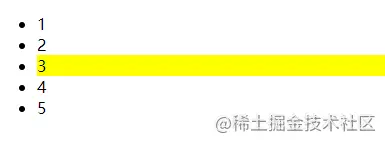
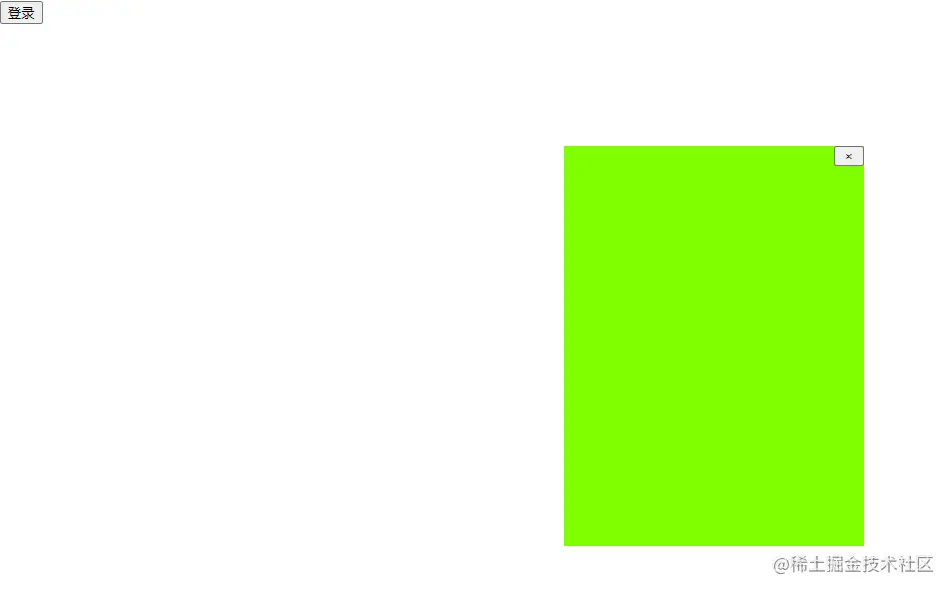
10、弹出框
html
<!DOCTYPE html>
<html lang="en">
<head>
    <meta charset="UTF-8">
    <meta name="viewport" content="width=device-width, initial-scale=1.0">
    <meta http-equiv="X-UA-Compatible" content="ie=edge">
    <title>Document</title>
    <style>
        #box{
            width: 300px;
            height:400px;
            background: chartreuse;
            position: absolute;
            display: none;
        }
    </style>
</head>
<body>
    <input type="button" value="登录" id="but">
    <div id="box"></div>
</body>
</html>
<script src="弹出框.js"></script>
<script>
    let oBox = document.getElementById("box");
    let oButs = document.getElementById("but");
    let s = new Tan(oBox);

    oButs.onclick = function(){
        s.She();
        // s.tian();
        s.onclick();
    }
</script>
javascript
class Tan{
    constructor(newbox){
        this.box = newbox;
        this.but = null;//用这个方法实现了单例模式
    }
    //设置弹出框位置
    She(){
        this.box.style.display = "block";
        //要想获取offsetWidth display必须设置为block
        this.box.style.left = window.innerWidth/2 - this.box.offsetWidth/2 + 'px';
        this.box.style.top = window.innerHeight/2- this.box.offsetHeight/2 + 'px';
        //调用新创建的按钮
        this.tian();
    }
    //添加按钮
    tian(){
        this.but = document.createElement("button");
        this.but.innerHTML=" × ";
        this.but.style.height = 20 + 'px';
        this.but.style.width = 30 + 'px';
        this.box.appendChild(this.but);
        this.box.style.display = "block";
        this.but.style.position = "absolute";
        this.but.style.left = this.box.offsetWidth - this.but.offsetWidth + 'px';//
    }
    //点击隐藏显示,要让他先隐藏
    onclick(){
        let that = this;
        this.but.onclick = function(){
            that.box.style.display = "none";
        }

    }
}